
Auto-Assign Policy Acknowledgments from Planning Center
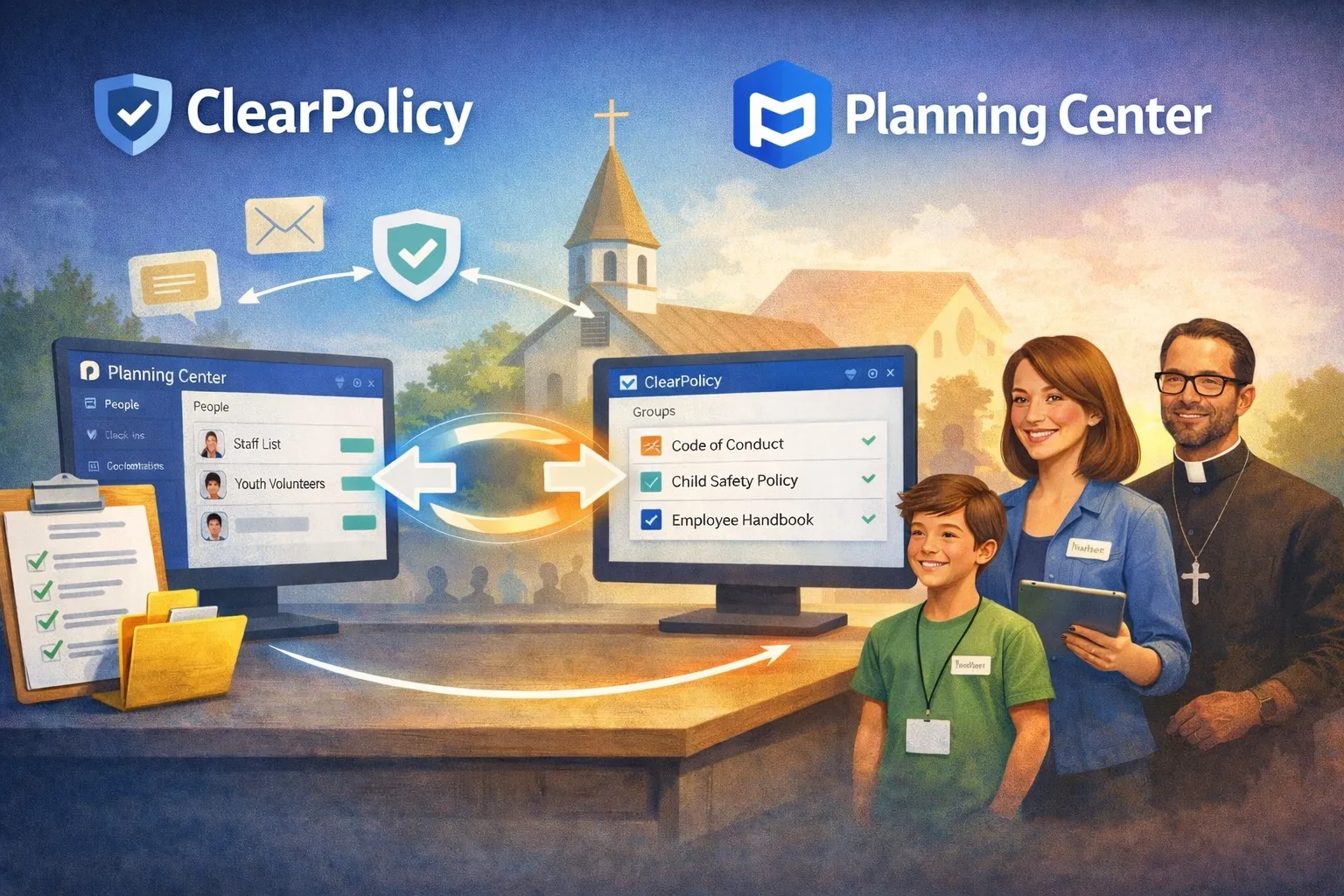
TL;DR: Connect ClearPolicy to Planning Center, map your Lists to ClearPolicy Groups, and assign policies to those groups. When someone is added to a Planning Center list, they’re automatically synced into ClearPolicy with the right documents already assigned — ready for you to send with one click.
If your church uses Planning Center, you already know how central Lists are to keeping people organized. You might have a list for paid staff, one for youth volunteers, another for nursery workers. When someone joins a team, they get added to the list. It’s how your church stays organized.
But here’s a gap that list doesn’t close: making sure those people have read and acknowledged your policies.
Most churches handle this manually — an email thread, a printed form, a checkbox on a spreadsheet. It works until it doesn’t, and usually it stops working right when you need it most (an incident, an insurance audit, a new hire who slipped through).
ClearPolicy fills that gap, and the Planning Center integration makes it automatic. For the full church workflow — child safety policies, volunteer sign-offs, and insurance audits — see church policy acknowledgment tracking.
How it works
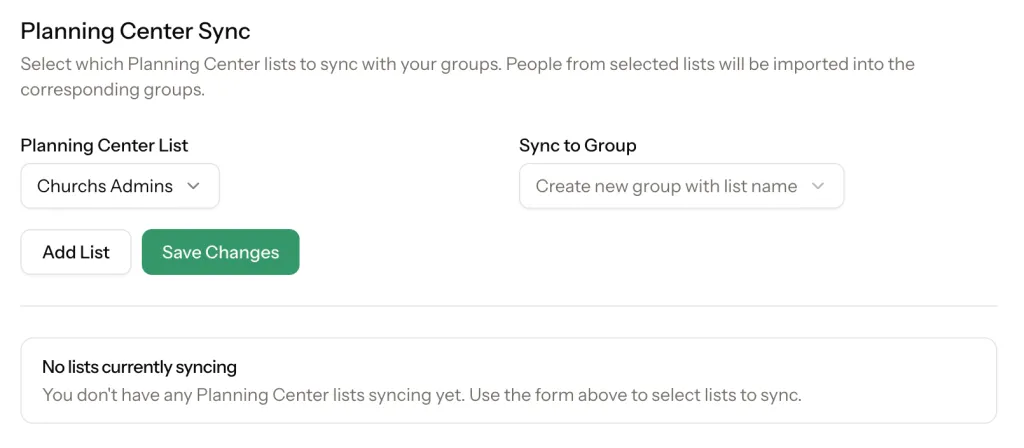
Connect your Planning Center account to ClearPolicy and map your existing Lists to ClearPolicy Groups. Your Staff list maps to a Staff group. Your Youth Volunteers list maps to a Youth Volunteers group. You choose.
From there, assign your policies to those groups — a Code of Conduct for volunteers, a Child Safety Policy for anyone working with minors, an Employee Handbook for paid staff.
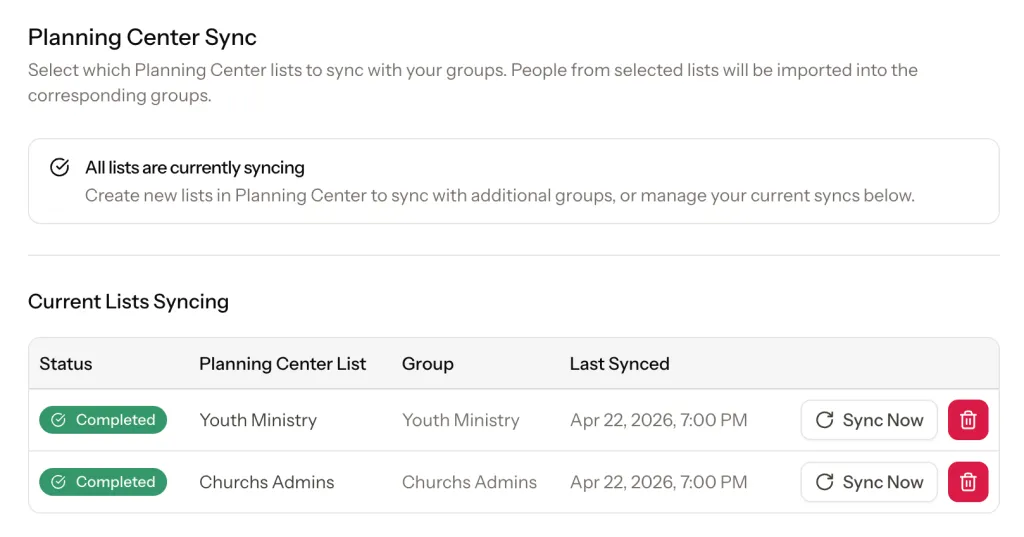
When someone new appears in your Planning Center list, ClearPolicy picks them up automatically (syncing each morning, or immediately if you trigger a manual sync) and assigns them the appropriate policies — ready to send when you are.
Sending acknowledgment requests
Once a person is synced and their documents are assigned, sending a request takes seconds. Navigate to their contact profile in ClearPolicy and send acknowledgment requests with a single click. You stay in control of when emails go out — nothing fires automatically without your knowledge.
From there, everything is tracked. You see each contact’s status in real time: pending, viewed, acknowledged. Send reminders to anyone who hasn’t responded. Every acknowledgment is logged with a timestamp, IP address, and a signed receipt — a complete audit trail if you ever need it.
Getting started
Syncing your Planning Center List with a ClearPolicy group is easy. Check out our documentation here. ClearPolicy is also listed in the Planning Center integrations directory as an official integration.
-
Connect your Planning Center account under Settings → Integrations
-
Map your Planning Center Lists to ClearPolicy Groups
-
Assign your policies to those groups
-
Anyone already in your lists syncs immediately. New additions sync automatically going forward.
If you don’t have your policies in ClearPolicy yet, you can import them from Google Drive or OneDrive, upload a PDF or Word doc, or write them directly in the editor.
A note on the “why”
Churches often think of policy acknowledgment as a formality. But for anyone working with children or vulnerable adults, it’s a baseline protection — for the people you serve and for your church. The Planning Center integration doesn’t add a new process to your plate. It connects one you already have to a step you probably know you should be taking.
Frequently asked questions
Does ClearPolicy replace Planning Center?
Not at all. Planning Center remains your church's central database for people, scheduling, and ministry management. ClearPolicy handles one specific job — policy acknowledgment and compliance tracking — and connects to Planning Center to make that job easier.
What happens if someone is removed from a Planning Center list?
They remain in ClearPolicy and retain their acknowledgment history. Removing someone from a Planning Center list won't delete their records in ClearPolicy. If someone is no longer active, you can archive them in ClearPolicy so they continue to receive renewal notifications or new documents assigned to a Group.
Do people need a ClearPolicy account to sign a policy?
No. People receive an email with a link to a secure signing page. No account or password required — they review the document and acknowledge it in one step.
How often does the sync run?
ClearPolicy syncs with your Planning Center lists automatically every morning. If you need to sync immediately — say, a new volunteer is starting today — you can trigger a manual sync from the integration settings.
What types of documents can I send through ClearPolicy?
Any policy document your church uses — staff handbooks, volunteer codes of conduct, child safety policies, confidentiality agreements, and more. You can write documents directly in ClearPolicy, upload a PDF, or import from Google Drive or OneDrive.
Does ClearPolicy meet ESIGN and UETA requirements?
Yes. For organizational policies, employee handbooks, and volunteer agreements, ClearPolicy captures what ESIGN and UETA require: the signer's intent to sign electronically, typed name, timestamp, IP address, browser details, and the exact document version signed. That is the evidence courts, insurers, and auditors expect from an electronic signature program. Some documents may still require wet ink or notarization — you decide whether an e-signature is appropriate. When someone cannot complete online, a team member can keep a complete record in ClearPolicy by recording paper on file and uploading the signed paper copy on the open request. That is not an electronic signature; online completions still receive the full ESIGN certificate and audit trail.
Track volunteer policy acknowledgments in one place
Keep staff and volunteers current on child safety, conduct, and ministry policies — with reminders and audit-ready records.
No credit card required.